Comparison · TriggerFlo vs Blitzit
Blitzit is the closest thing to TriggerFlo on this site: the same always-on-top timer, the same estimate-versus-actual habit. TriggerFlo puts boards, clients and invoices underneath that loop — and unlike Blitzit, it has a free tier that never expires and a license you can buy once.
Free forever up to 3 projects. Pro $45.99/yr, or $119 once. Mac, Windows, Linux, iOS, Android.
7 days
Blitzit's trial, then it asks for a card. TriggerFlo's free tier does not expire — three projects, unlimited tracking, no card.
$59.88
Blitzit for a year ($4.99/mo billed annually). TriggerFlo Pro is $45.99 — or $119 once, where Blitzit is subscription only.
Linux
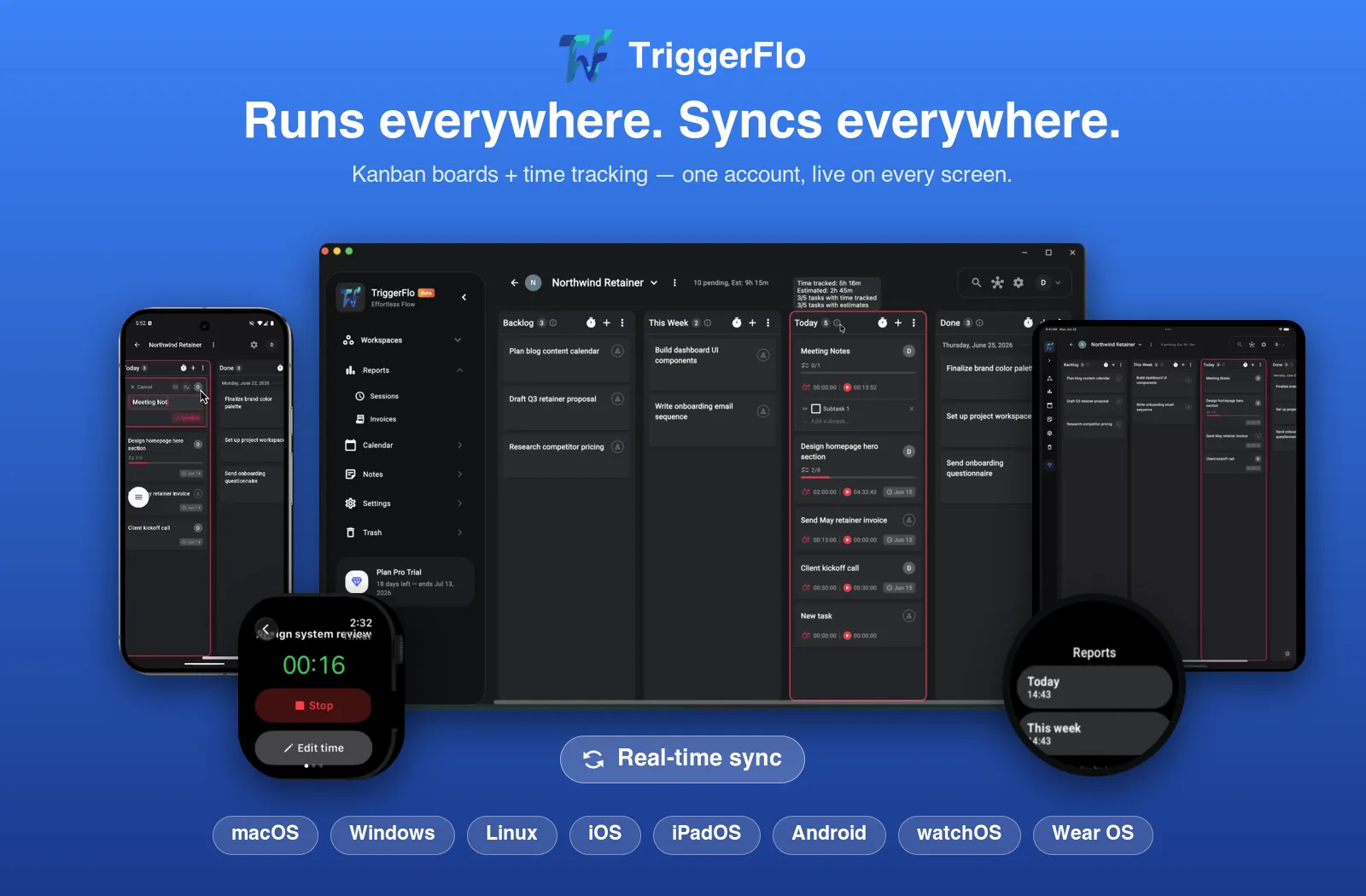
Blitzit covers Windows, macOS, mobile and the browser — but never Linux. TriggerFlo ships .deb and .tar.gz for x86_64 and ARM64.
Worth saying up front: most comparison pages on this site are against time trackers built for billing, and the argument is always that they have no board. Blitzit is a different case. It has the floating timer, the per-task estimate, the overtime read, subtasks and recurring schedules — the same instincts as TriggerFlo, in a deliberately smaller package. So the question is not which app has the timer. It is whether your work stops when the focus session does, or whether it has to turn into a project, an invoice and a record you can go back to.
A deliberately small to-do list and timer app built around one focus loop — pick a task, start the timer, watch the estimate burn down. Task lists rather than projects, with shared lists and a web app added in 3.0.
| Feature | TriggerFlo | Blitzit |
|---|---|---|
| Price for one person, year one | Yes. $45.99/yr, or $119 once for lifetime | Partly. $59.88/yr ($4.99/mo annual), or $6.99/mo monthly |
| Free plan Usable indefinitely without paying | Yes. Free forever, up to 3 projects | No. 7-day trial, then paid |
| One-time purchase option Pay once, own it | Yes. Lifetime license, $119 | No. Subscription only — monthly or annual |
| Always-on-top floating timer | Yes. Four layouts, stays above other windows | Yes. Yes — the centrepiece of the app |
| Estimate vs actual time per task | Yes. Estimate and tracked time on every card | Yes. Estimate, time taken and overtime per task |
| Kanban board with columns you define Not just a list with states | Yes. Custom columns, drag and drop, per project | Partly. Lists and a fixed task flow rather than custom boards |
| Projects with clients and rates | Yes. Billable rates per project and per client | No. Lists organise tasks; no client or rate model |
| Invoices from tracked time | Yes. Built in on Pro, PDF and CSV | No. Not a billing tool |
| Shared projects and teammates | Partly. Roles and invitations; dedicated team plans in progress | Partly. Shared lists with assignees, added in 3.0 |
| Native Linux desktop app | Yes. .deb and .tar.gz, x86_64 and ARM64 | No. Windows and macOS only |
| Web app | Yes. Full web app in the browser | Yes. Web app added in 3.0 |
| Smartwatch app | Yes. Apple Watch and Wear OS | No. Desktop and mobile apps |
| Music that starts with your timer | Yes. Spotify playback tied to the timer | No. Not a feature |
| Pomodoro work/break cycles | Yes. Configurable focus and break intervals | Yes. Built into the focus flow |
| AI that turns a brain dump into tasks | Yes. Flo, plus voice capture on desktop and mobile | Partly. Blitzy assistant, in beta |
Price for one person, year one
Free plan
Usable indefinitely without paying
One-time purchase option
Pay once, own it
Always-on-top floating timer
Estimate vs actual time per task
Kanban board with columns you define
Not just a list with states
Projects with clients and rates
Invoices from tracked time
Shared projects and teammates
Native Linux desktop app
Web app
Smartwatch app
Music that starts with your timer
Pomodoro work/break cycles
AI that turns a brain dump into tasks
Difference 1
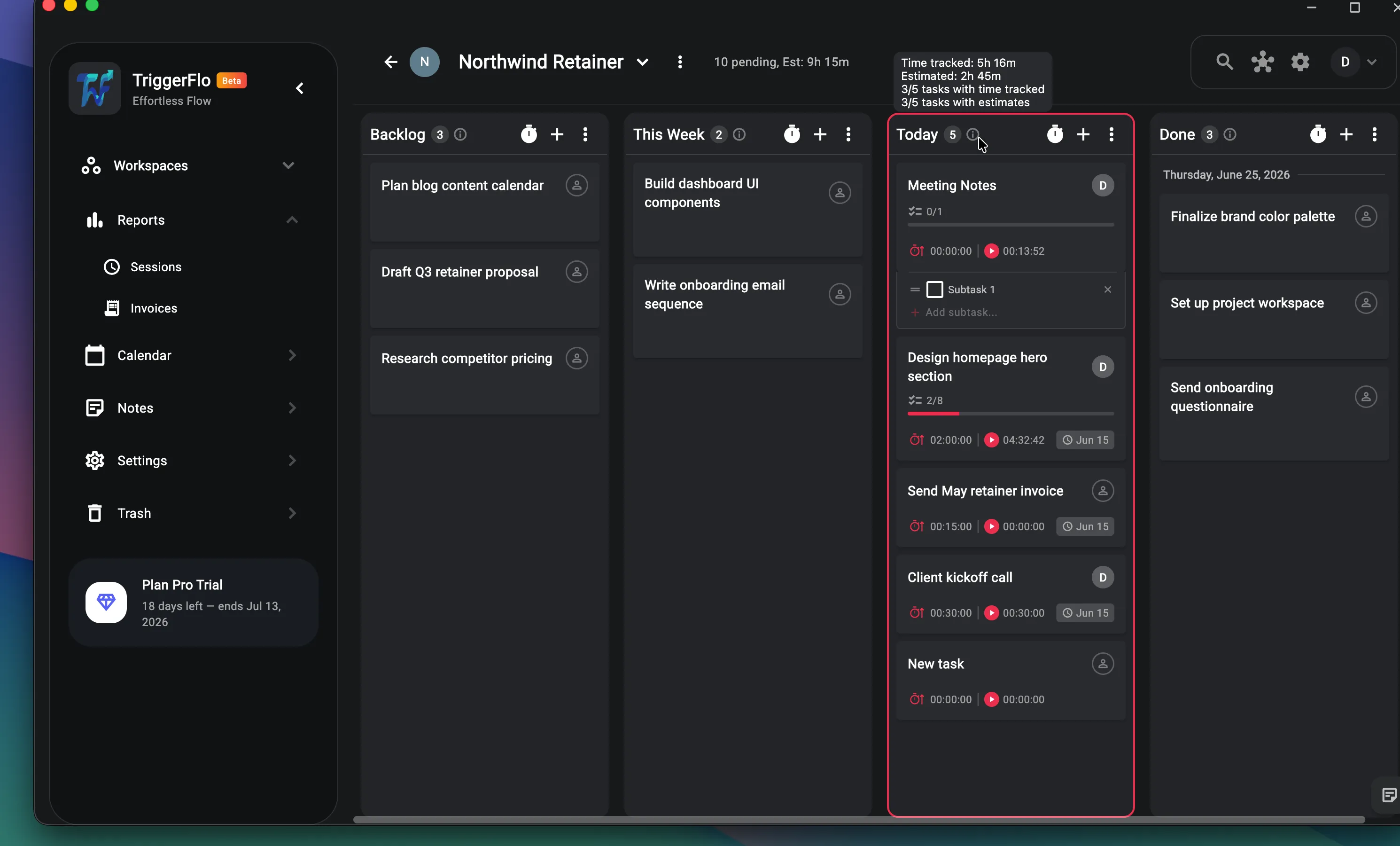
Blitzit is built around one question: what am I doing right now? TriggerFlo asks that too — same always-on-top timer, same estimate burning down — but the task lives on a board you shaped, in a project with a client attached. When the sprint is over you still have a structure, not a cleared list.
Difference 2
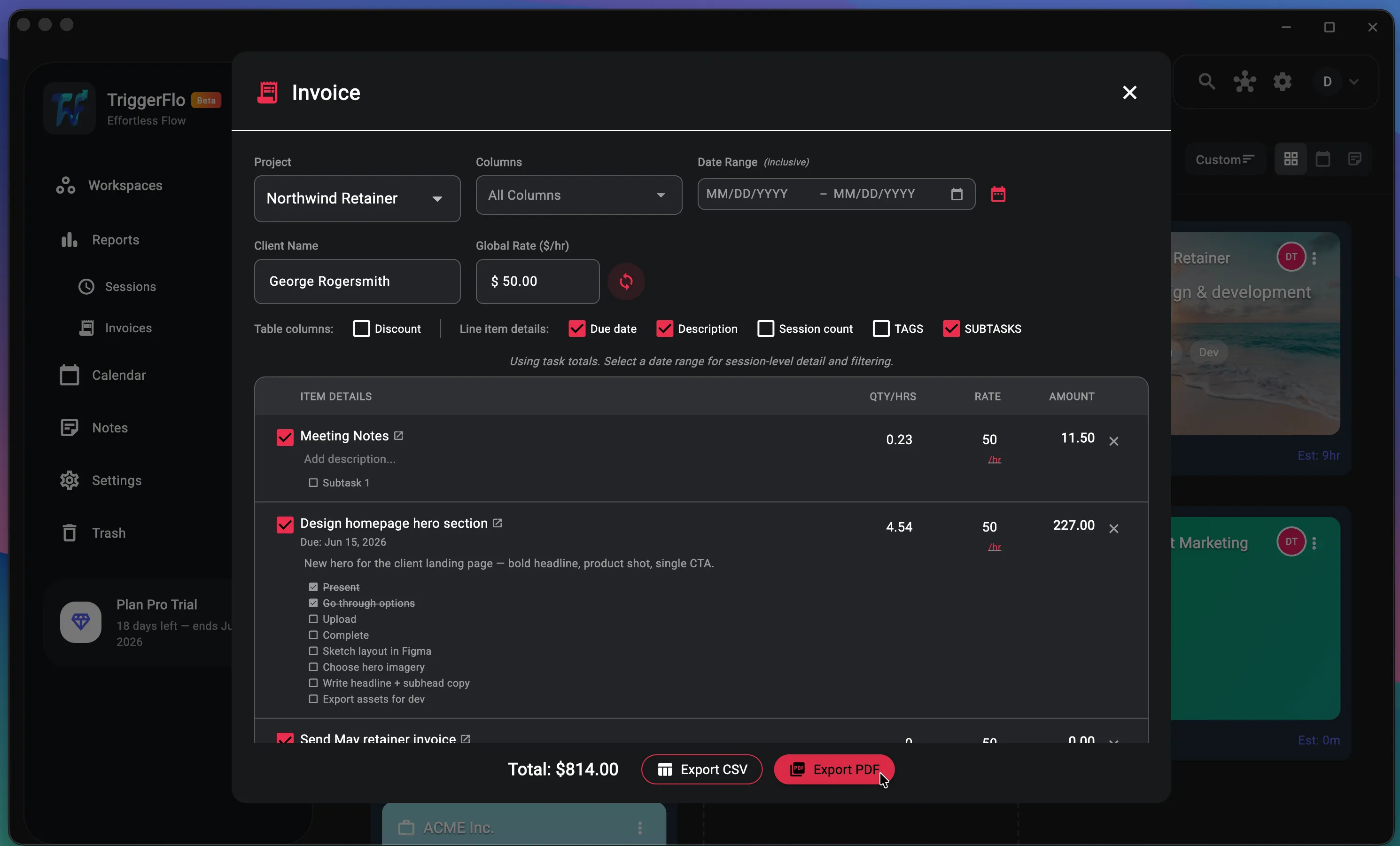
Blitzit is not a billing tool and does not claim to be — there are no clients and no rates in it, on any plan. If you bill anyone for the time you just focused through, that hand-off is a spreadsheet you maintain by hand. TriggerFlo carries the rate on the project and turns the tracked hours into a PDF invoice without you retyping anything.
Difference 3
Blitzit covers Windows, macOS, iOS, Android and — since 3.0 — the browser. What it has never shipped is a native Linux desktop app or a watch app. TriggerFlo has signed .deb and .tar.gz builds for x86_64 and ARM64, Raspberry Pi included, and start/stop from an Apple Watch or Wear OS watch. If you develop on Linux, this is the whole decision.
Blitzit is a good product. Here is the honest split — the cases where it is the right call, and the cases where TriggerFlo is.
You want less software, not more
Blitzit is small on purpose. There are no projects to set up, no columns to design, no clients, no invoices — you write the list, you start the timer, you go. TriggerFlo can be run that simply, but it does not arrive that way, and if a Kanban board is something you would never open, that is surface area you are carrying for nothing.
You bill nobody and track nothing long-term
Most of what TriggerFlo adds on top of Blitzit is about what happens after the session: clients, rates, invoices, project history, roles. If your list is only ever today’s list and no one is paying you by the hour, that is weight without payoff.
The work outgrows a list
Blitzit is excellent at today. It is not built for a project that runs three months, has a client attached, and needs to be invoiced at the end of it. TriggerFlo keeps the same floating timer and focus loop, and puts a real project structure underneath — custom board columns, clients, billable rates and invoices generated from the hours you already tracked.
You can try it without a countdown — and buy it once
Blitzit gives you seven days, then asks for a card, and every plan after that is a subscription. TriggerFlo’s free tier does not expire — three projects, unlimited time tracking — and if you would rather stop renting software altogether, the $119 lifetime license is a one-time payment that includes future updates. Blitzit has no equivalent.
Linux and your watch
Blitzit covers Windows, macOS, mobile and — since 3.0 — the browser. What it has never shipped is a Linux desktop app or a watch app. TriggerFlo has native Linux builds for x86_64 and ARM64, Raspberry Pi included, and start/stop from an Apple Watch or Wear OS watch.
Sharing a list is not sharing a project
Blitzit 3.0 added shared lists with assignees, which covers handing tasks back and forth. TriggerFlo shares the whole project — board columns, estimates, tracked hours, rates and roles — so what a teammate joins is the work and its history, not just a checklist.
Broader in scope, and that cuts both ways. Both have an always-on-top timer, per-task estimates against actual time, and a pomodoro loop. TriggerFlo adds Kanban boards, clients, billable rates, invoicing, project roles, Linux and watch apps. If what you liked about Blitzit is that it refused to do all of that, the honest answer is that you may not want the bigger app.
Not with one click yet. Blitzit exports your lists and tasks as JSON and CSV, and that export carries the fields that matter — titles, notes, subtasks, estimates, time taken and completion state. Send the file to [email protected] and we will map it into projects and cards for you. A self-serve importer is on the list.
TriggerFlo, on every plan. Monthly it is $5.99 against Blitzit’s $6.99; annually $45.99 against $59.88. TriggerFlo also has a free tier that never expires, where Blitzit has a 7-day trial, and a $119 lifetime license, where Blitzit is subscription only.
Not natively. Blitzit covers Windows, macOS (Intel and Apple Silicon), iOS, Android and, since 3.0, a browser app — so a Linux user can reach it through the web. TriggerFlo ships actual native .deb and .tar.gz builds for x86_64 and ARM64, Raspberry Pi included, as well as a web app.
Blitzit pricing and features on this page were checked on September 19, 2026 against Blitzit home and pricing , Blitzit downloads and platforms . Plans change; check their site for today's numbers. Spotted something out of date? Tell us at [email protected] and we will fix it. TriggerFlo is not affiliated with or endorsed by Blitzit.
Blitzit exports your lists and tasks as JSON and CSV — titles, notes, subtasks, estimates and time taken all come across. Send the file to [email protected] and we will map it into projects and cards for you. Free up to 3 projects, no card.
New features and fixes as they ship on desktop and mobile. No spam, unsubscribe any time.