macOS · Apple Silicon and Intel

A Mac time tracker that stays in front of you

TriggerFlo for Mac is a native app with a Kanban board, an always-on-top floating timer, a menu-bar item, and an Apple Watch companion. Track the work on the card you are actually working on.

macOS 12 or later. Free up to 3 projects, no credit card.

Two ways to install

The Mac App Store build handles its own updates through Apple. The DMG is signed and notarized and updates itself. Same app, same account, same price.

Requires macOS 12 (Monterey) or later. Universal — Apple Silicon and Intel.
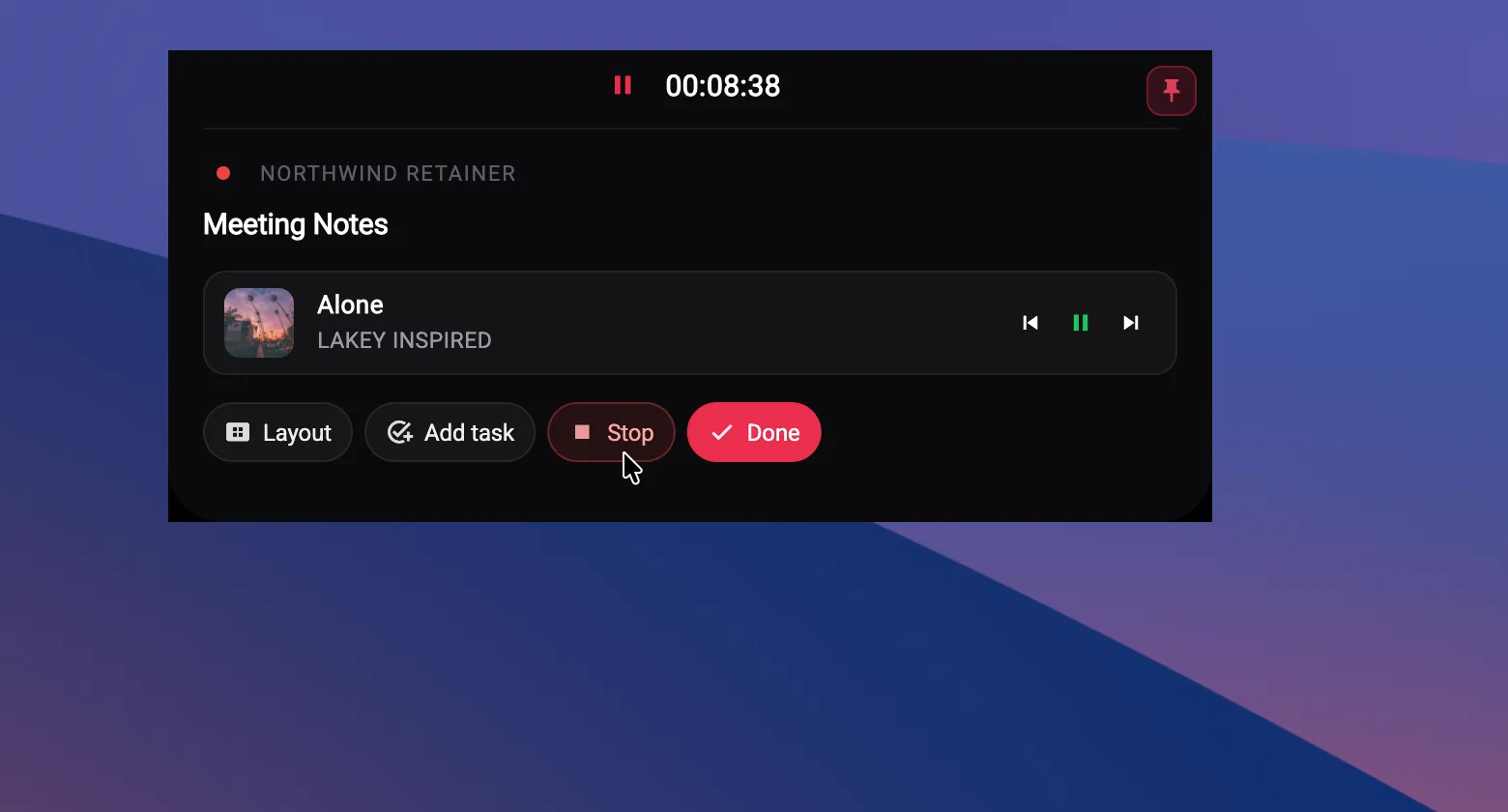
The TriggerFlo floating timer on macOS showing a running task with Spotify playback controls.

Built like a Mac app

Not a web app in a window. A compiled binary that uses the menu bar, respects your theme, and keeps a real database on your disk.

More on the always-on-top floating timer and its four layouts →

Sync

Start on the Mac, stop on the Watch

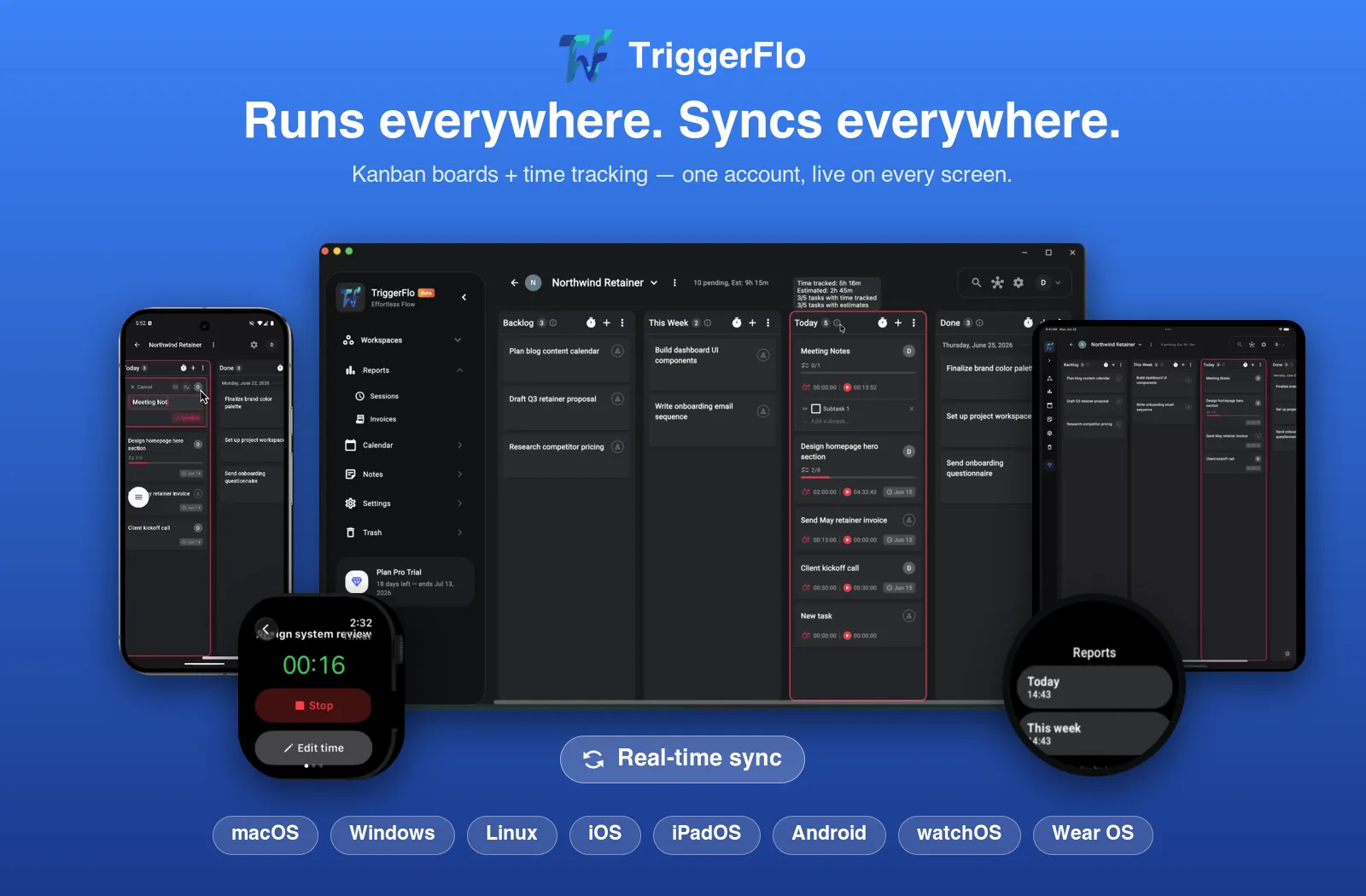
Your Mac is probably not the only place work happens. The same timer, projects and tracked hours reach iPhone, iPad, Apple Watch, Windows, Linux and the web app — one account, live sync, no export-and-reimport ritual.

TriggerFlo running on desktop, phone, tablet and watch, showing the same projects and timers.

Mac questions

App Store or the DMG — which should I get?

The Mac App Store build is the easier one: Apple handles installation and updates, and it is the same app. The DMG exists for people who prefer a direct download; it is signed and notarized, and updates itself through Sparkle. Both are free to install, and your account works across either.

Does it run natively on Apple Silicon?

Yes — TriggerFlo is a Flutter app compiled to a native binary for both Apple Silicon and Intel. It is not an Electron wrapper around a web page, which is why it idles quietly while a timer runs.

What macOS version do I need?

macOS 12 Monterey or later.

Is there an Apple Watch app?

Yes. You can start, stop and edit timers from the Watch, and they are the same timers your Mac is tracking.

Does it sync with my iPhone and iPad?

Yes. iOS and iPadOS are on the same App Store listing, and projects, tasks and tracked time sync across every device on your account — including Windows, Linux and the web app.

How much does it cost on Mac?

The same as everywhere else: free forever for up to 3 projects, Pro at $45.99 a year, or $119 once for a lifetime license. There is no Mac surcharge and no per-device fee.

Free on the Mac App Store

Up to 3 projects free. Pro is $45.99 a year, or $119 once — no subscription if you would rather not have one.

Get release notes in your inbox

New features and fixes as they ship on desktop and mobile. No spam, unsubscribe any time.