Linux · x86_64 and ARM64
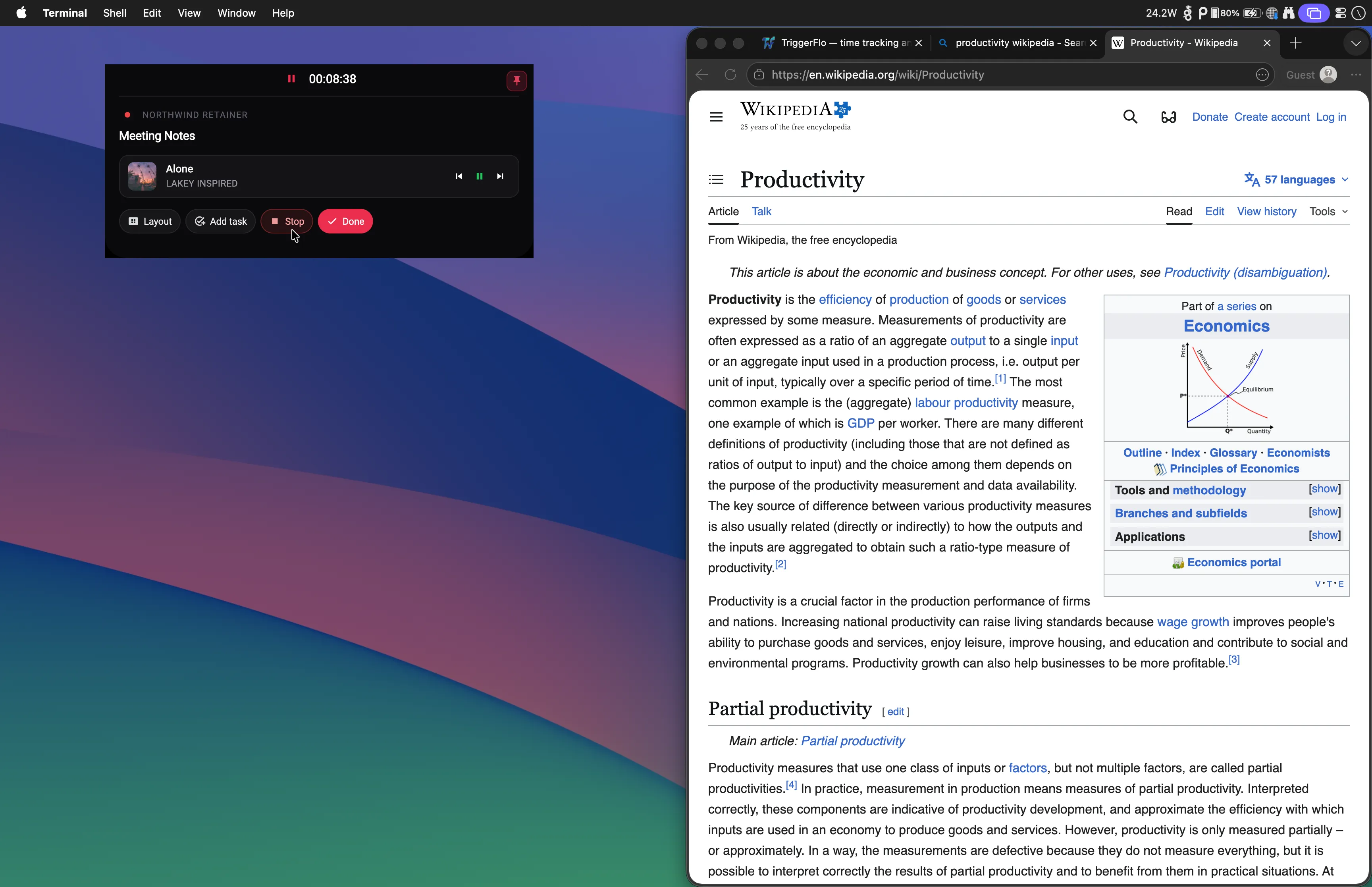
Most time trackers treat Linux as a browser tab. TriggerFlo ships a native Linux app in every release — .deb and .tar.gz, x86_64 and ARM64 — with a tray icon, global hotkeys, and a floating timer that stays on top of whatever you are working in.
Ubuntu 22.04+, Fedora 35+, or equivalent. Free up to 3 projects.
Pick your architecture and packaging. Every release publishes all four.
sudo dpkg -i TriggerFlo-2.3.0-Linux-x86_64.deb
sudo apt-get install -f # pull in any missing deps
Installs to /opt/triggerflo with a
triggerflo command and a desktop entry, so it
shows up in your application menu.
mkdir -p ~/triggerflo
tar -xzf TriggerFlo-2.3.0-Linux-x86_64.tar.gz -C ~/triggerflo
~/triggerflo/triggerflo No menu entry with this route — it is the portable option. Needs GTK 3, GStreamer and libsecret present, which the .deb pulls in for you.
Requires Ubuntu 22.04+, Fedora 35+, or equivalent. Both architectures are built from the same source as the macOS and Windows releases.
Linux is the platform where time trackers diverge most. Here is where the three most-compared apps stand as of August 24, 2026.
TriggerFlo
Yes. Native app. .deb and .tar.gz, x86_64 and ARM64.
Toggl Track
No. Linux desktop app retired. Web app or a community-built client.
Clockify
Yes. Native Linux desktop app available.
Checked August 24, 2026. See the full breakdowns: TriggerFlo vs Toggl Track and TriggerFlo vs Clockify.
More on the always-on-top floating timer, including the native-Wayland caveat →
Floating timer over your tiling WM
Four layouts — Small, Island, Compressed, Expanded — in an always-on-top window that survives workspace switches. It sits above the terminal, not behind it.
Tray icon on GNOME and KDE
Closing the window minimizes to the system tray instead of quitting, and the tray menu can start a timer without reopening the app.
Global hotkeys
Start, stop and switch tasks from a keybinding, whatever window has focus.
ARM64, including Raspberry Pi
Not an x86-only build with an emulation story. ARM64 is a first-class artifact in every release.
Your data in local SQLite
TriggerFlo keeps a real database on your machine and syncs it, rather than being a browser tab pretending to be an app.
Launch at login
Optional autostart, so the tracker is running before you have decided what to work on.
Ubuntu 22.04 and later, Fedora 35 and later, or anything of an equivalent vintage. The .deb installs with dpkg on Debian and Ubuntu derivatives; the .tar.gz extracts and runs anywhere with a recent enough GTK stack, including Arch and openSUSE.
Not yet — today it is the .deb and the .tar.gz, for x86_64 and ARM64. If you want a Snap or Flatpak, say so on the public roadmap and it will be weighed with everything else on there.
Yes. Every release ships ARM64 builds as both .deb and .tar.gz. A Pi 4 or newer running a 64-bit OS is the tested configuration.
No. Toggl retired its Linux desktop app, so Linux users run the web app in a browser or a third-party client. Clockify does still ship a native Linux app. TriggerFlo ships native Linux builds with every release.
You need an account, because your projects sync across your machines and phone. Data lives in a local SQLite database on your machine as well; full offline mode is in progress rather than shipped, so an intermittent connection is fine but a permanently disconnected machine is not the setup it is built for today.
No. TriggerFlo is a Flutter application compiled to a native binary — the same codebase and the same compiled-app treatment as the macOS and Windows builds, not a packaged web page.
New features and fixes as they ship on desktop and mobile. No spam, unsubscribe any time.